I wrote my Physics Bachelor Thesis in Typst
written by Splines
published
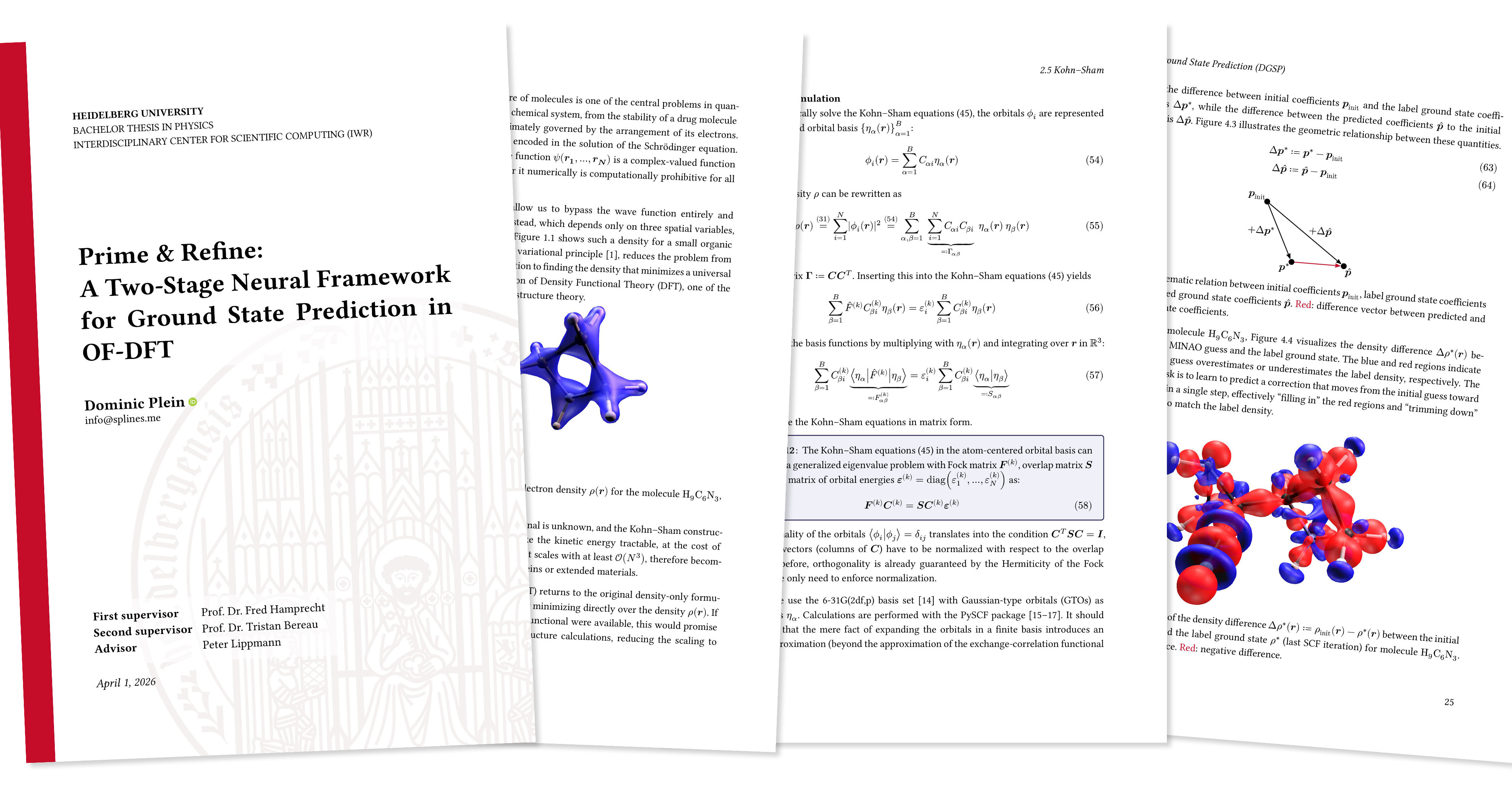
This is my first bigger document I’ve ever written in Typst, a markup-based typesetting system as modern alternative to LaTeX. After several months of work, I handed in my Bachelor Thesis in Physics at Heidelberg University on the 1st of April (no April Fool’s joke). If you want to give Typst a try in your browser, there is a Typst Playground.
I didn’t like the LaTeX template offered by our university too much, so I redesigned my very own in Typst. For sure, there were some challenges to overcome, but overall it felt so much easier and more intuitive to do than in LaTeX. I’ve been using LaTeX intensively for more than 3 years. Its typesetting looks gorgeous and I think TeX revolutionized the scientific world, just like Gutenberg did with his letterpress printing. And while TeX will remain crucial for many years to come, there’s no shame in trying out new things. Typst is finally a competitor that can stand up against LaTeX and is so much easier to use.
Typst Packages
Here I’ve listed all packages from the Typst Universe I’ve been using in my thesis:
-
hydra to easily set the page headings.
-
physica for easy math- and physics-related typesetting.
-
unify to format numbers and SI units.
-
equate to give labels to single lines in multiline math expressions.
-
embiggen to use LaTeX-like delimiter sizing, e.g.
#big()similar to\bigin LaTeX. -
dashy-todo to put TODO notes in the document. They look quite annoying, so it’s very rewarding when you can remove them ;)
-
cetz as drawing library similar to TikZ. Used for only one graphic (Figure 4.3). See more on drawing plots later.
-
ctheorems for theorem and definition boxes. I modified its source code to have a global theorem counter.
-
booktabs to get the look and feel of tables typeset with LaTeX’s Booktabs package.
-
subpar to create sub figures, e.g. “Figure 1 (a)”, and get correct caption references.
-
nth to generate English ordinal numbers, e.g. 1st.
-
chemformula for chemical formula formatting.
Project structure
This is the gist of my project outline.
assets/
content/
├─ abstract.typ
├─ intro.typ
├─ (many more files)
template/
├─ assets/
│  ├─ logo.svg
├─ template.typ
├─ util.typ
imports.typ
literature.yml
thesis.typ
To keep my main thesis.typ file slim, I outsourced the template to its own folder template/. See also Making a Template in the Typst docs. This way, I can essentially use a regular #show rule, just like you would when using a template from the Typst Universe. If you want to style anything, you should also read the docs on Styling.
#import "template/template.typ": *
#import "imports.typ": *

#show: thesis.with(
  title: "Prime & Refine: And rest of title",
  date: datetime(year: 2026, month: 04, day: 01),
  university: "Heidelberg University",
  abstract-en: include "content/abstract.typ",
  abstract-de: include "content/abstract-de.typ",
  // and more fields defined in template.typ
)

#include "content/intro.typ"
// and more content Typst files
#include "content/conclusion.typ"
#bibliography("literature.yml")
Unfortunately, Typst doesn’t offer global imports (upvote for this issue). I work around this by putting my “global” imports into a file imports.typ. For example, it contains this line
#import "@preview/physica:0.9.5": *
// more imports
as I want to use physica everywhere. Then, in every Typst file, you just put this at the top:
#import "../imports.typ": *Plots: Matplotlib and Typst
Getting beautiful vector-graphic plots that are accessible is not the easiest thing to do. Luckily, there is mpl-typst, a Matplotlib Typst backend. With this Python library, you can just generate your Matplotlib plots as usual, and then export them to a Typst file:
fig.savefig("my-plot.typ")This will produce a file my-plot.typ, which uses primitive Typst shapes to construct the plot, e.g. lines, rectangles, circles, gradients, etc. It also uses a regular #text() Typst command, thus your font and the font size will perfectly match the rest of your document. Additionally, I’ve added this at the top of my Python file in order to turn off LaTeX processing in Matplotlib.
plt.rcParams.update(
    {
        "text.usetex": False,
        "text.parse_math": False,
    }
)
To avoid errors, you should also use raw strings, e.g.
ax.set_ylabel(r'$norm(hat(rho) - rho^*)_2$') # using Typst syntaxThe only problem with the mpl-typst Python package is that it doesn’t seem to respect your xlim and ylim properties (at the time of writing, see this issue), resulting in lines being shown even outside your plot region when you clipped them.
For plots where this was a problem, I switched to another great project: mpl2typ. It is not stable yet and feature-incomplete, but still worth to give it a try.
Furthermore, you could also use packages like cetz, cetz-plot and lilaq to plot directly in Typst. However, I share Janek Fleper’s sentiment expressed here in that the heavy lifting for plot generation isn’t something Typst should do. I see Typst’s role here just as someone who places my (finished) images in a text flow. I will continue to stick to Python for data exploration and also plotting via Matplotlib, and the mentioned packages offer a nice bridge to Typst.
Additionally, to achieve a good aspect ratio for your figures, I use this tip, essentially calculating the golden ratio.
def get_plot_size(width=447.87, fraction=1):
    """Gets beautiful figure dimensions with the golden ratio.
    For usage in LaTeX/Typst documents.

    Taken from https://jwalton.info/Embed-Publication-Matplotlib-Latex/

    Parameters
    ----------
    width: float
            Document textwidth or columnwidth in pts
    fraction: float, optional
            Fraction of the width which you wish the figure to occupy

    Returns
    -------
    fig_dim: tuple
            Dimensions of figure in inches
    """
    # Width of figure (in pts)
    fig_width_pt = width * fraction

    # Convert from pt to inches
    inches_per_pt = 1 / 72.27

    # Golden ratio to set aesthetic figure height
    # https://disq.us/p/2940ij3
    golden_ratio = (5**0.5 - 1) / 2

    # Figure width in inches
    fig_width_in = fig_width_pt * inches_per_pt
    # Figure height in inches
    fig_height_in = fig_width_in * golden_ratio

    fig_dim = (fig_width_in, fig_height_in)

    return fig_dim


# then use it like this in your Matplotlib plots
plt.figure(figsize=get_plot_size())
The hardcoded width 447.87 is according to my Typst document. To measure the width of your document, you can use this Typst snippet:
#layout(size => {
  [Width of page is #size.width.]
})
Literature with Hayagriva
While Typst also supports BibLaTeX .bib files, I’ve tried out the new Hayagriva format, which is a really simple YAML file that is nice to read and edit. Luckily, there is also an Online converter from BibTeX to Hayagriva since you will probably not find journals that offer you a Hayagriva citation export. At least not yet ;)
Presentation
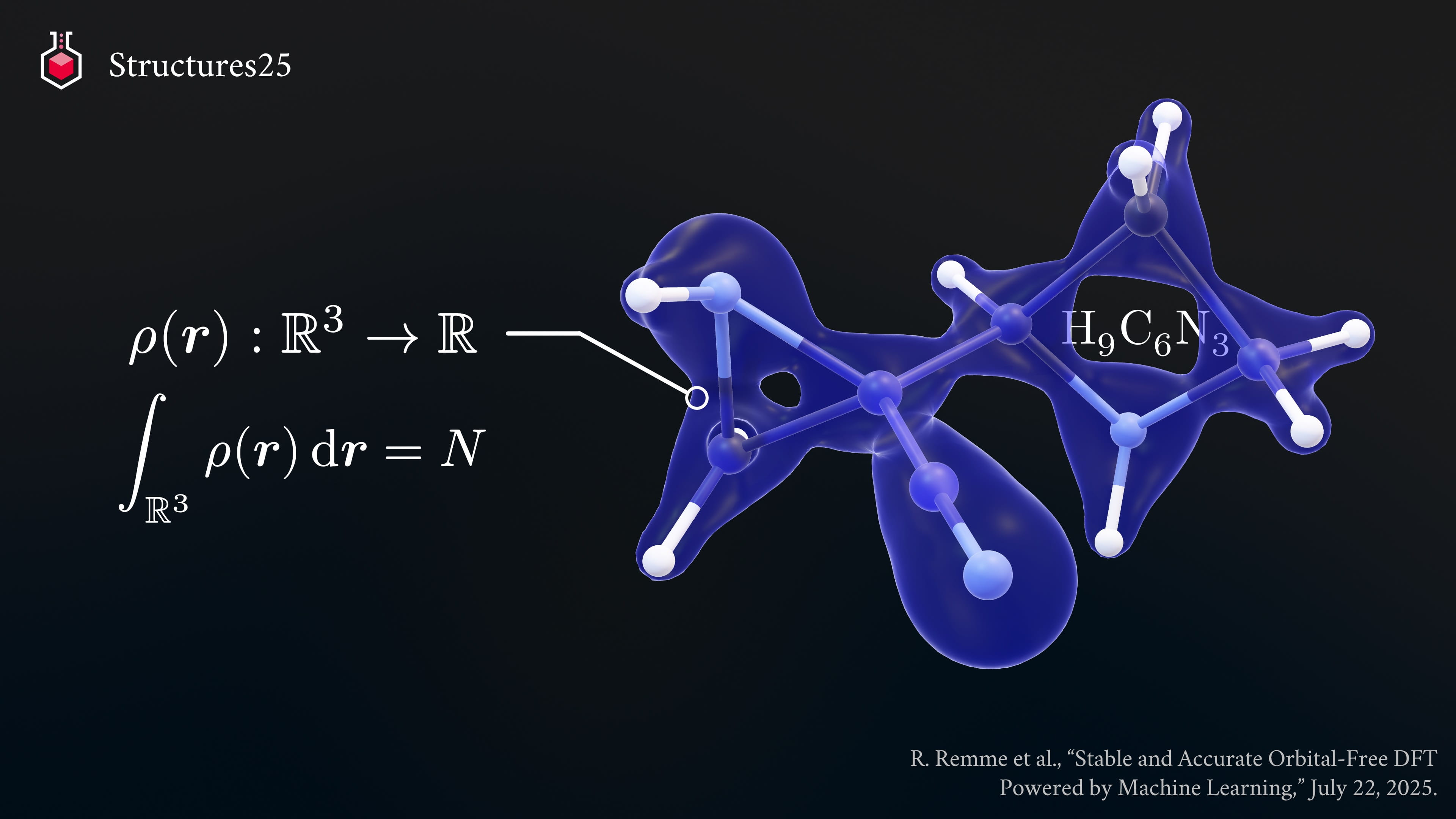
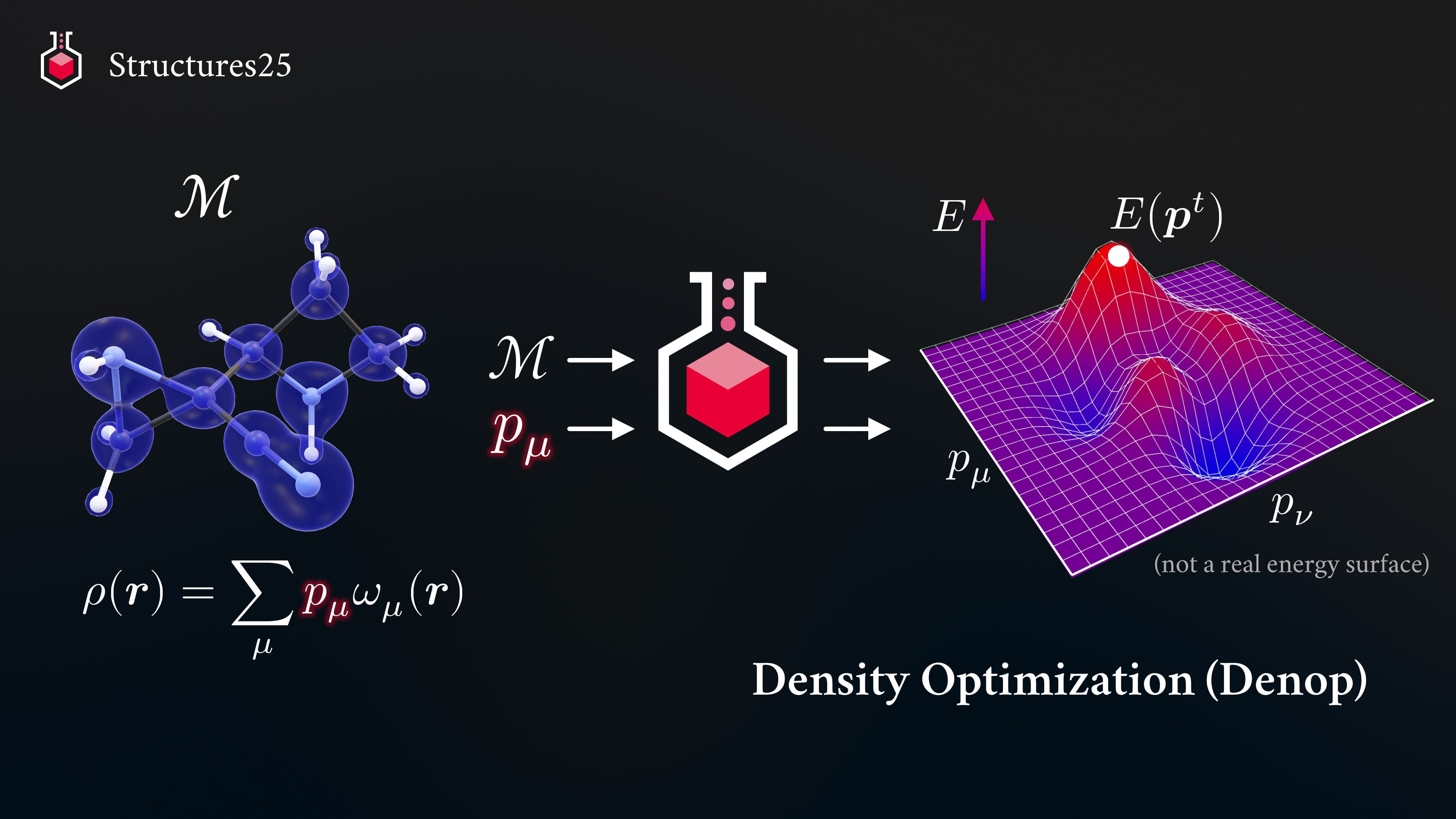
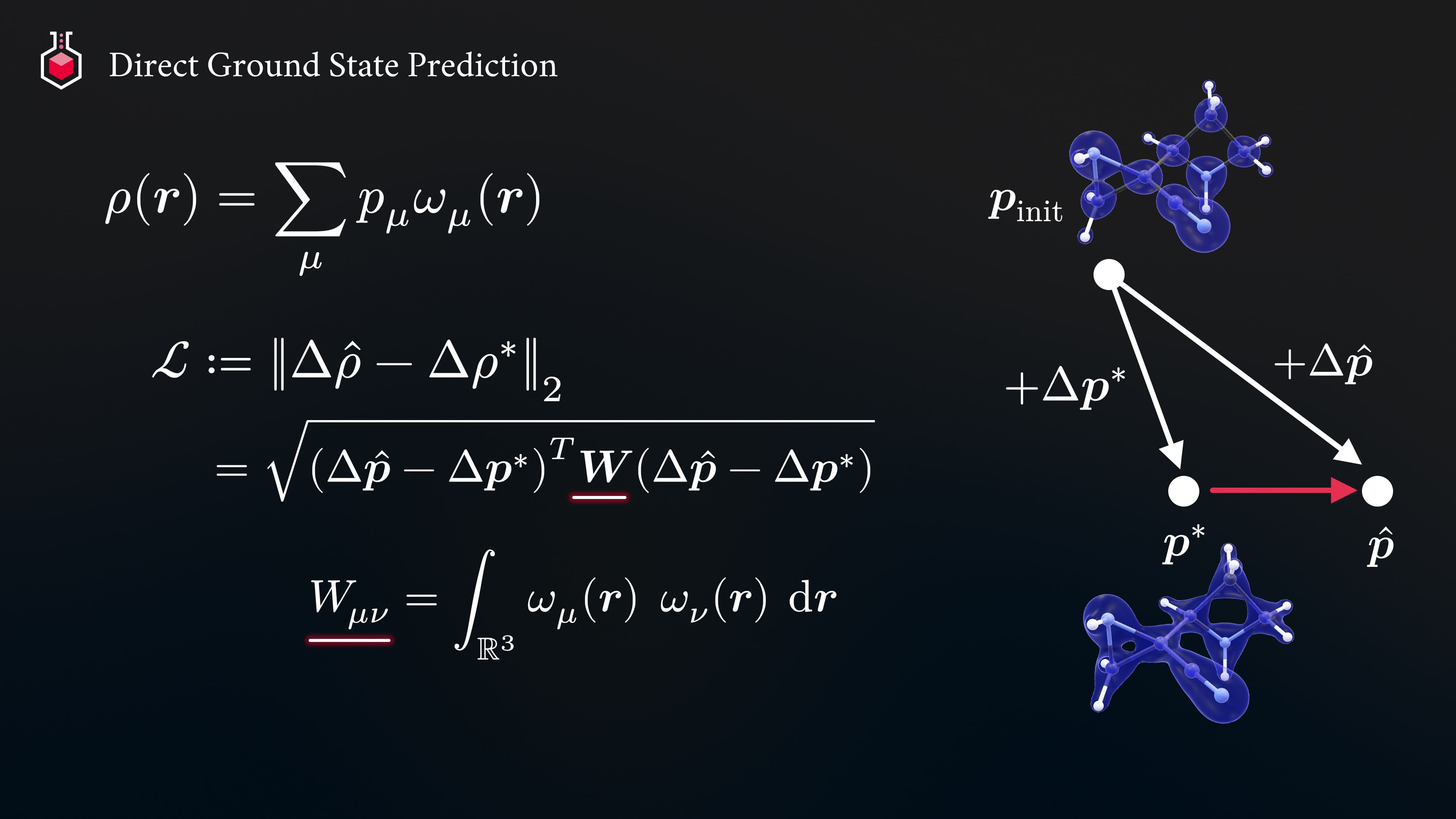
For my Thesis defense (also called “colloquium”), I copied over some formulas from my Typst document to PowerPoint. For this purpose, I’ve developed PPTypst, a PowerPoint plugin that lets you insert and edit (!) Typst equations directly in PowerPoint. Here is how some of my slides looked like.
Final words
All in all, I was very happy with this new, fresh experience of writing a longer scientific document in Typst. The feedback cycle is amazing since you directly see the changes in almost real-time. I made heavy use of Myriad-Dreamin’s tinymist, a language server for Typst (among others available as VSCode extension, where you can even pop up the preview pane and show it on localhost in your browser).
Just as with LaTeX, of course I have to search for some code snippets on the web for specific things, but at least I can now understand them as they are written in a language close to Rust (i.e. modern), and not a macro-driven language like TeX. As an example, look at the great LaTeX package siunitx and its source code. To be honest, I wouldn’t want to maintain this package; I even have a hard time reading it. Compare that to physica and its source code. For sure, without the context, there is no way I could explain a random line to you. But at least, I have the feeling that I can easily find out what it does. The syntax is much closer to the programming languages I use everyday.
With Typst, I do understand code I see online (e.g. in packages and other templates), and can even build upon it, without despairing in mysterious compiler error messages and a backslash hell. I’m definitely sticking with Typst and will only use LaTeX sparingly from now on. Feel free to give a Typst a try in your browser.
Further Challenges & Solutions
Last but not least, here is a collection of challenges I faced & how I solved them. Luckily, the Typst community is very active and welcoming. In addition to a regular search in your favorite search engine, I recommend to also search in the Typst Issues on GitHub (remember to remove state:open in the search bar as the issue could have already been closed) and to search in the Typst Forum as well (there’s a small search icon next to your profile picture).
Enable heading-specific figure numbering and increase spacing.
#show figure: set block(spacing: 1.5em)
#show figure: set figure(gap: 1.0em)
#set figure(numbering: n => numbering("1.1", counter(heading).get().first(), n), gap: 1em)
For multi-line figure captions, I want that the whole caption itself is centered on page, but the text inside is left-aligned. Solution from here.
#show figure.caption: it => {
  align(box(align(it, left)), center)
}
Show references to equations in a custom format. Solution from here.
#show ref: it => {
  if it.element != none and it.element.func() == math.equation {
    // custom reference for equations
    link(it.target)[(#it)]
  } else {
    it
  }
}
Disable numbering for 3rd level headings (I don’t use headers beyond that nesting level, so I only had to disable this for the 3rd level headings). Solution from here.
#set heading(numbering: "1.1")
#show heading.where(level: 3): it => [
  #block(it.body)
]
Table of contents styling. I may have copied this from somewhere, let me know if you find the source.
#show outline: it => {
  show heading: pad.with(bottom: 1em)
  it
}

#show outline.entry: it => {
  show linebreak: none
  it
}

// Level 1 outline entries are bold and there is no fill
#show outline.entry.where(level: 1): set outline.entry(fill: none)
#show outline.entry.where(level: 1): set block(above: 1.35em)
#show outline.entry.where(level: 1): set text(weight: "semibold")

// Level 2 and 3 outline entries have a bigger gap and a dot fill
#show outline.entry.where(level: 2).or(outline.entry.where(level: 3)): set outline.entry(fill: repeat(
  justify: true,
  gap: 0.5em,
)[.])

#show outline.entry.where(level: 2).or(outline.entry.where(level: 3)): it => link(
  it.element.location(),
  it.indented(
    gap: 1em,
    it.prefix(),
    it.body() + box(width: 1fr, inset: (left: 5pt), it.fill) + box(width: 1.5em, align(right, it.page())),
  ),
)
In case you need roman and arabic numbering, I took the following code snippet from the parcio-thesis template.
#let setup-numbering(doc, num: "1", reset: true, alternate: true) = {
  let footer = if alternate {
    context {
      let page-count = counter(page).get().first()
      let page-align = if calc.odd(page-count) { right } else { left }
      align(page-align, counter(page).display(num))
    }
  } else {
    auto
  }

  set page(footer: footer, numbering: num)
  if reset { counter(page).update(1) }

  doc
}

#let roman-numbering(doc, reset: true, alternate: true) = setup-numbering(
  doc,
  num: "i",
  reset: reset,
  alternate: alternate,
)
#let arabic-numbering(doc, reset: true, alternate: true) = setup-numbering(
  doc,
  reset: reset,
  alternate: alternate,
)

// then use e.g. the following in your main thesis.typ file
#show: arabic-numbering.with(reset: true, alternate: true)
For the appendix, you might want to do something like this in your thesis.typ.
#set heading(numbering: "A", supplement: [Appendix])
#counter(heading).update(0)

= Appendix
#set heading(numbering: "A.1", supplement: [Appendix])
#include "content/appendix/contributions.typ"
#include "content/appendix/proofs.typ"
Finally, for the last polish, I try to avoid widows and orphans by rephrasing some sentences and inserting some (too many ^^) manual layout shifts that hopefully are subtle enough to go unnoticed, e.g. #v(-0.2em). I also moved some figures around and cut paragraphs because I hate it when a sentence finishes 3 pages later (because in-between were only figures). Let your own taste guide you in the process and don’t forget to have fun 😊